HOW THE SHOW IS CREATED
EVERY SHOW STARTS WITH A CONVERSATION
A great laser show does not start by switching on the projectors. It starts by understanding the event. We discuss the venue, the character of the event, its key moments and the effect we want to achieve. Based on that, we select the right technical solutions and build the show concept.
We also determine whether the show will take place indoors or outdoors. This is important because the space directly affects how the light is positioned and how visible the effects will be.
INDOOR SHOWS — LIGHT NEEDS SOMETHING TO WORK WITH
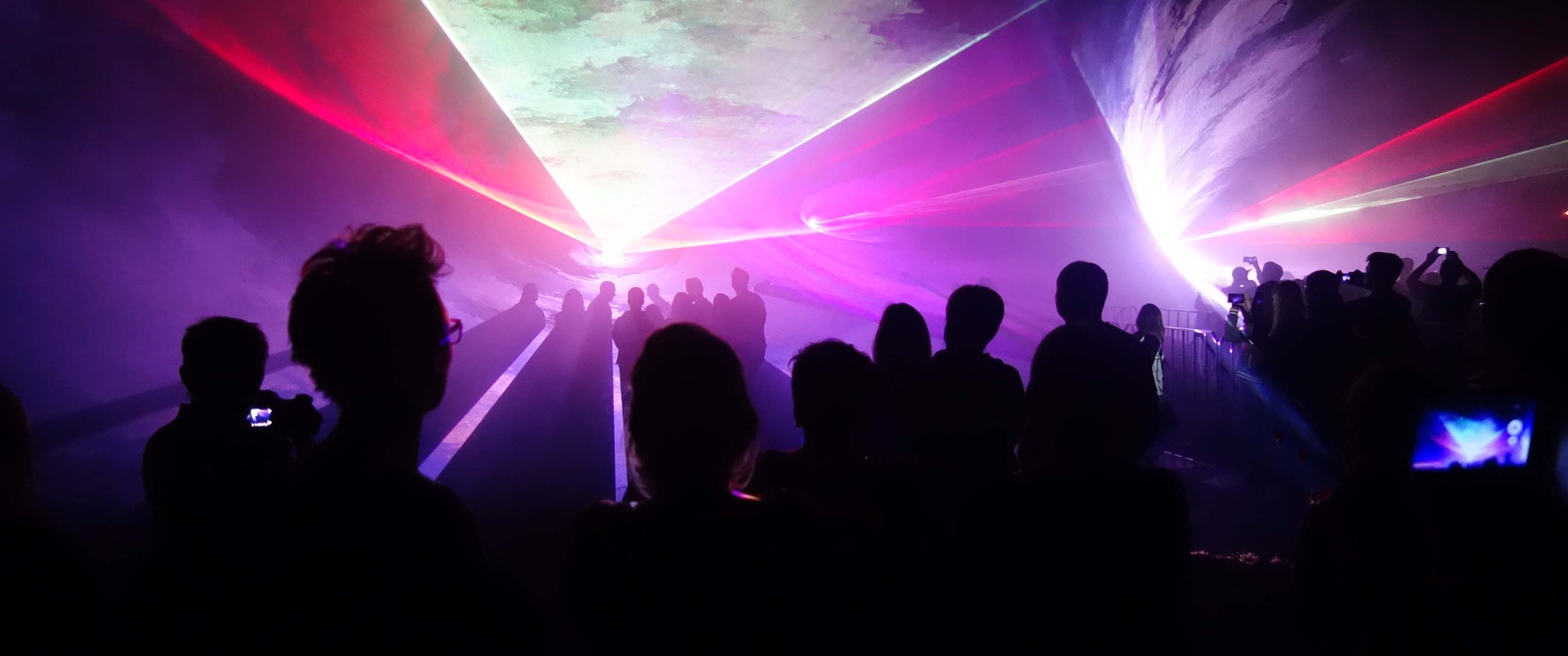
In halls, hotels and venues, atmosphere is crucial. For an indoor show, the space needs to be prepared properly. Smoke detectors should be disabled according to the venue procedures — without safely introducing a light haze, the laser effect will be significantly weaker. Only a small amount of haze is needed; its role is simply to create a space in which the light beams become visible.
It is also worth reducing or dimming stage and ambient lighting. The better we control the existing light, the stronger and more three-dimensional the laser effect becomes.
OUTDOOR LASER SHOWS — SCALE AND VISIBILITY
Outdoors, we can use large spaces and multi-point laser systems. We position them according to the venue, audience and viewing angles so the show remains clear and spectacular from the right distance.
For outdoor shows, the distance between the audience and the production area is very important. Often the show looks better from further away — the laser beams have more space and the whole composition becomes clearer and more impressive. That is why we analyse audience positions and viewing directions already at the planning stage.
We also need to account for obstacles in the space. Trees, structures, masts and other elements can partially block the beams or parts of the graphics. That is why we carefully choose projector positions and heights to make the best use of the available space and visibility.
GRAPHICS — THE SCREEN AS PART OF THE SHOW
Another important decision is whether graphics, logos or animations will be displayed during the show. If so, we arrange the screen accordingly. Indoors, it can be electrically lowered or discreetly hidden in the scenery. Our screen is transparent — with minimal room darkening it practically disappears, so it does not compete with the laser and can become part of the set design.
12 × 9 m SCREEN — ALSO FOR SPONSORS
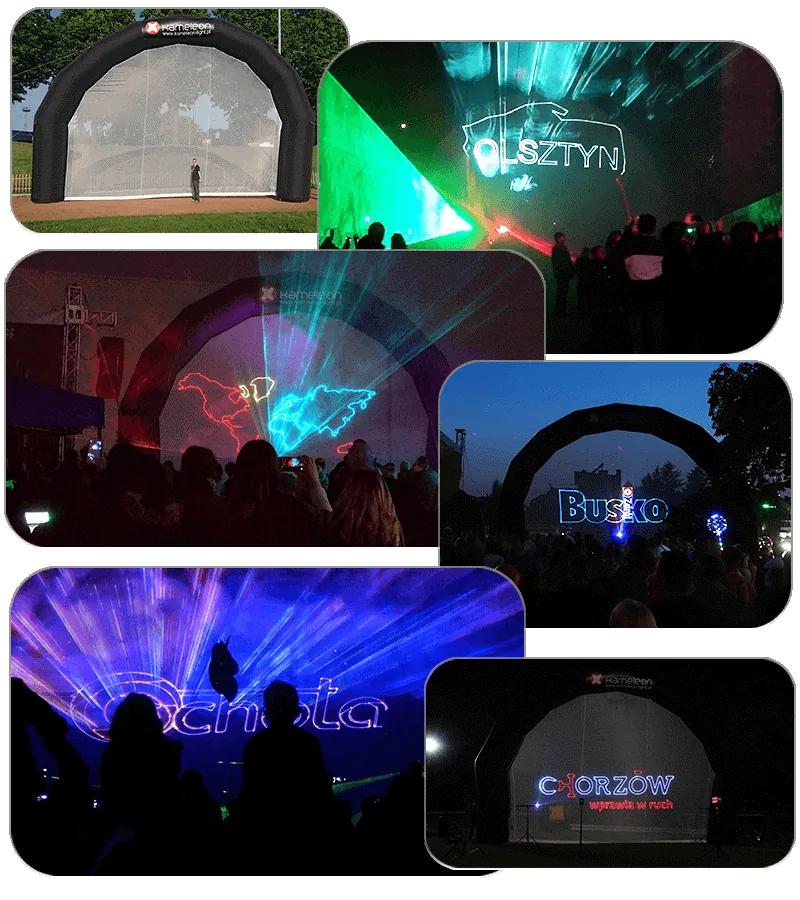
Outdoors, we can use our huge 12 × 9 m screen. It can be both a backdrop for animations and graphics and a striking display for event sponsors’ logos. One structure combines scenery, a screen and a communication surface.
MUSIC — THE RHYTHM THAT BUILDS EMOTION
We select music to match the character of the event or help the client choose a track with strong accents. Powerful, dramatic music with clear changes, transitions and climaxes works particularly well. These moments allow us to synchronize light with music and strengthen the message.
FROM INFORMATION TO ANIMATION
Once the music is selected, we ask for the key information that should appear in the show. Based on that, we create an animation outline and arrange the sequence of elements. Only then do we build the final graphics, animations and laser choreography.
Laser graphics are primarily contour-based and have no fill. That is why simple, strong shapes work best. A good example is the outline of a country with the audience standing inside it — a simple symbol that, with the right scale, movement and music synchronization, can become a powerful part of the show.
Laser intro for a conference opening
A laser show can also be created as a shorter, dynamic format for a conference, product launch or corporate event. We combine laser effects with an LED screen so image, light and music become one coherent experience.
This solution works especially well when the LED screen is the main element of the stage design. The animation can begin on the screen and then appear to continue beyond its surface through laser effects.
We often prepare animations specifically for a particular LED screen. We use Adobe After Effects to create motion, transitions, typography, logos and event branding elements.
We then add laser effects and design their movement so the laser becomes a natural extension of the image displayed on the screen.
Synchronization is the key. A change on the screen can correspond precisely to a change in the laser colour, movement or intensity. The audience experiences the screen and laser as one visual effect rather than two separate systems.
Depending on the complexity of the production, number of screens and equipment used, we use different synchronization methods with a media server or lighting console.
OUR ORIGINAL LASER FOLLOW — INTERACTIVE FUN WITHOUT SENSORS
We have also created our original Laser Follow system — laser tracking without sensors. It is an interactive experience in which anyone can feel like a superhero. The system responds to participants’ movement, which makes people of all ages want to step in, try it and take a photo.
Laser Follow can also be used as a game. We can create football-style interaction, timed scoring challenges or tasks that test reflexes, reaction speed and spatial awareness. This makes the installation both a striking visual attraction and an engaging competitive experience.
Room height is important when planning this installation. The venue should be approximately 4.5 m high so the system can operate at the right scale and provide participants with a comfortable play area.
LASER PROJECTIONS — IMAGES ON DISTANT SURFACES
We can project logos, text and animations with lasers onto distant buildings, walls or even a forest wall. This can turn the event space into a huge screen and make the brand message visible from a great distance.
Unlike a video projector, a laser image remains sharp regardless of the distance to the surface. This gives us great freedom for outdoor productions and allows us to work on very large, distant surfaces.
With more complex graphics, the number of elements the laser has to draw increases. Too much detail can make the image flicker more quickly. In such situations we can use a second laser and divide the projection between two devices. Each laser then handles a simpler part of the graphic, making the overall image smoother and clearer.